

Glimpse Widget: Newest Private Social App for BFFs & Couples
Traditional social media is loud and performative. But a new wave of "Micro-Social" apps like Glimpse is shifting the focus back to genuine connection. By bypassing the newsfeed for a widget-first home screen experience, Glimpse offers the intentional, private social space we’ve been waiting for.
In 2026, the digital landscape has reached a definitive breaking point. We are more "connected" than ever, yet 73% of Gen Z users report feeling a profound sense of "social media burnout." The infinite scroll, once a novelty, has become a digital chore. We open our apps to check on our best friends, only to be ambushed by sponsored content, "suggested" posts from high school acquaintances, and algorithms designed to keep us scrolling rather than connecting.
But a new category of apps is quietly dismantling the "Broadcast Era" of social media. Leading the charge is Glimpse, a social widget app that is shifting the focus from "public feeds" to "ambient connection." By moving the social experience out of the app and directly onto the smartphone home screen, Glimpse is proving that the future of social media isn't bigger, it’s smaller.
The Problem: Why 'Big Social' is Failing Our Friendships
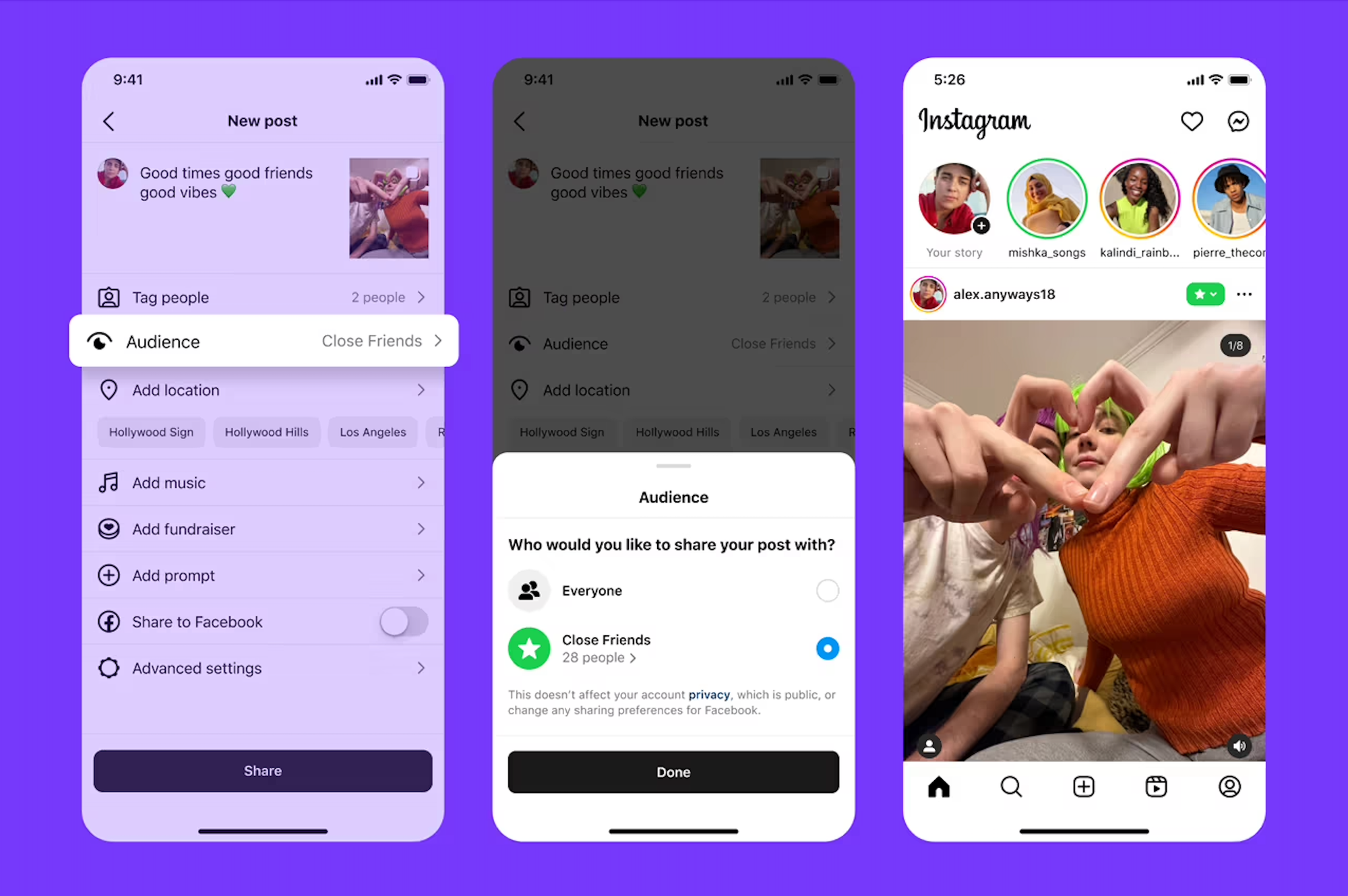
Traditional social media operates on a "broadcast" model. It encourages users to perform for an audience of hundreds, leading to what psychologists call "performative exhaustion." Even features like Instagram’s "Close Friends" often feel like a smaller stage rather than a private room.
Furthermore, the "app-first" design is inherently friction-heavy. Users have to unlock their phones, find an icon, ignore a dozen red notification badges, and navigate past a curated feed to find the people they actually care about. By the time they get there, the genuine "moment" has often been lost to the noise.
The Rise of 'Digital Intentionality'
As a response to this fatigue, we are seeing a massive shift toward private social apps. These platforms prioritize depth over breadth. They aren't about building a following or "going viral"; they are about maintaining a pulse on the 5 to 10 people who actually matter in your life. This is where the widget social revolution begins.
What Exactly is Glimpse?
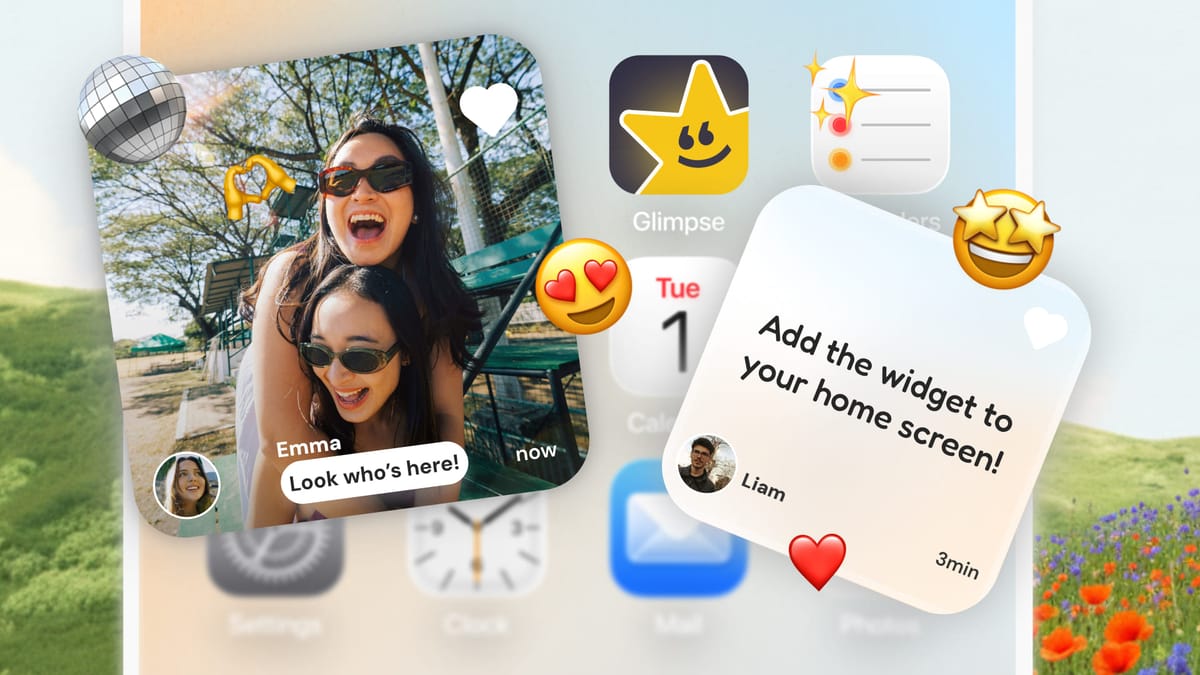
Glimpse isn't a traditional app in the sense that you don't "browse" it. Built using Apple’s WidgetKit, Glimpse is a "widget-first" platform. It allows users to create small, private circles—think BFFs, partners, or immediate family—and share real-time updates that appear directly on each other's home screens.
Instead of "checking" an app, the information finds you. Your best friend’s morning coffee, your partner’s mid-day thought, or a sibling’s random photo appears as a live tile. It is "ambient connection"—staying in the loop without the cognitive load of a social media session.
Why the Home Screen is the New Social Feed
The average person glances at their phone screen 96 times a day. Most of those checks are functional: looking at the time, checking the weather, or glancing at a calendar. By placing a "window" into your inner circle in this prime digital real estate, Glimpse turns a habitual phone check into a moment of genuine human connection.
Features That Set Glimpse Apart from the Pack
While there are other widget apps on the market, like Locket, Glimpse has introduced several key differentiators that make it feel like a more "mature" version of the widget social concept.
1. Breaking the 'Photo-Only' Barrier
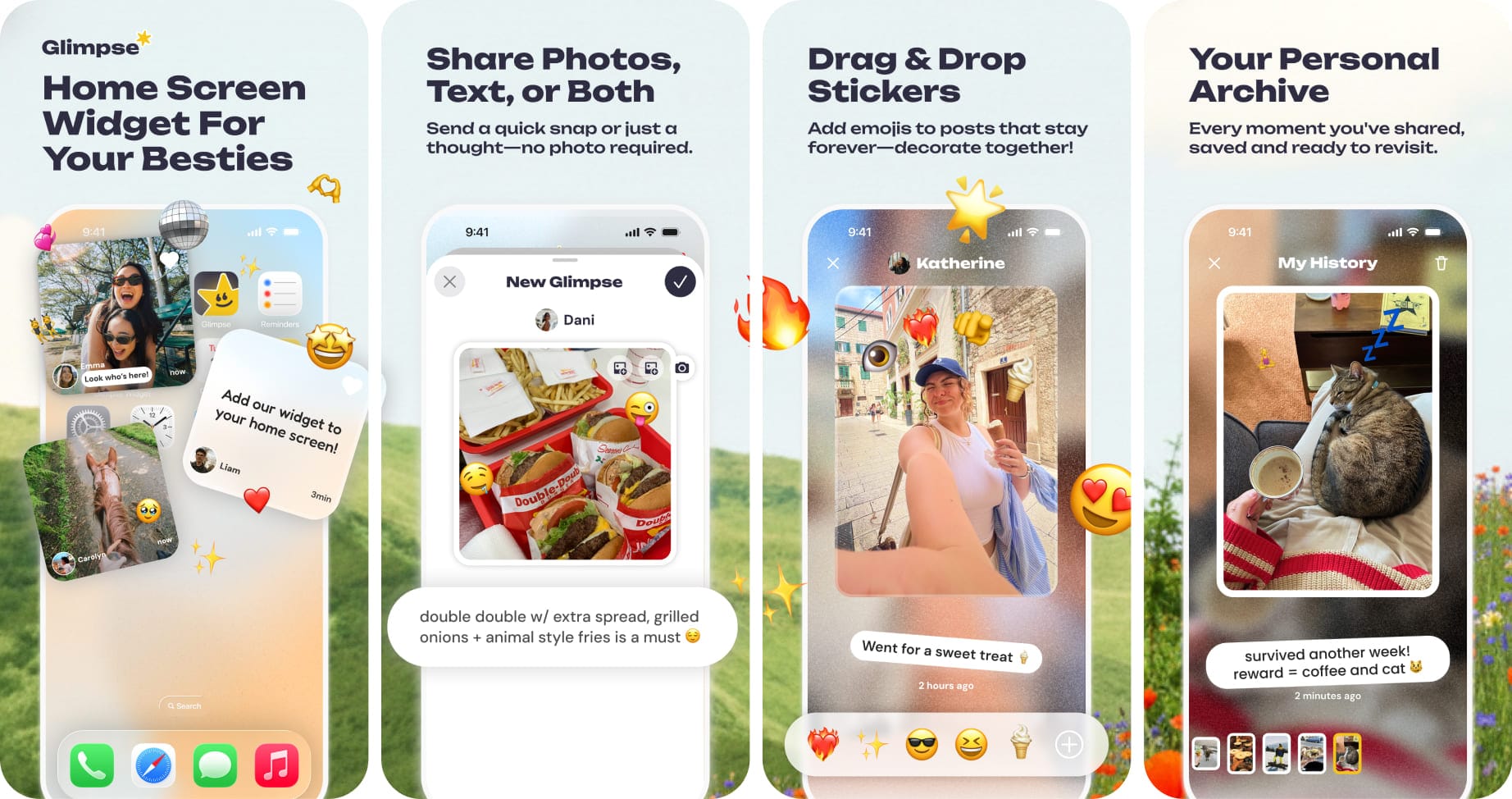
Most early widget apps were strictly photo-based. While visual, this often led to "photo ping-pong"—a cycle of sending pictures with no context that eventually becomes repetitive. Glimpse solves this by offering flexible sharing:
- Text-Only Updates: For sharing quotes, jokes, or quick "I’m thinking of you" messages.
- Photo-Only Updates: Share past moments from your photo library or take a live photo of what's happening in real time.
- Photo + Text Hybrid: Allowing users to give context to their moments. This flexibility ensures the app remains useful for more than just snapshots; it becomes a digital sticky-note for a friendship.
2. The Sticker Revolution: Interactive Reactions
In most social apps, engagement is binary: you "like" or you "comment." Glimpse introduced a much more tactile way to interact: unlimited sticker reactions.
Users can overlay stickers directly onto their friends' posts. If a friend posts a photo of a chaotic Monday morning, their circle can smother that photo in "coffee" or "stress" stickers. It makes the widget feel like a living, shared canvas rather than a static gallery.
3. The In-App Archive
One of the biggest critiques of "fleeting" social apps is that the memories disappear. Glimpse addresses this with an in-app Archive. Each friend in your circle has a dedicated space that archives their history of updates. It’s a low-pressure way to look back on the small, mundane moments that actually define a relationship over time.
Glimpse vs. The Competition: A Comparative Review
For anyone looking to reclaim their digital wellness, the question is often: Which app should I use?
Glimpse vs. Instagram
Instagram is fundamentally a "public-first" platform. Even within "Close Friends," you are still navigating an interface designed to keep you on the app for as long as possible. Glimpse is "private-by-design." There are no ads, no "suggested reels," and no influencers vying for your attention.
Glimpse vs. Locket
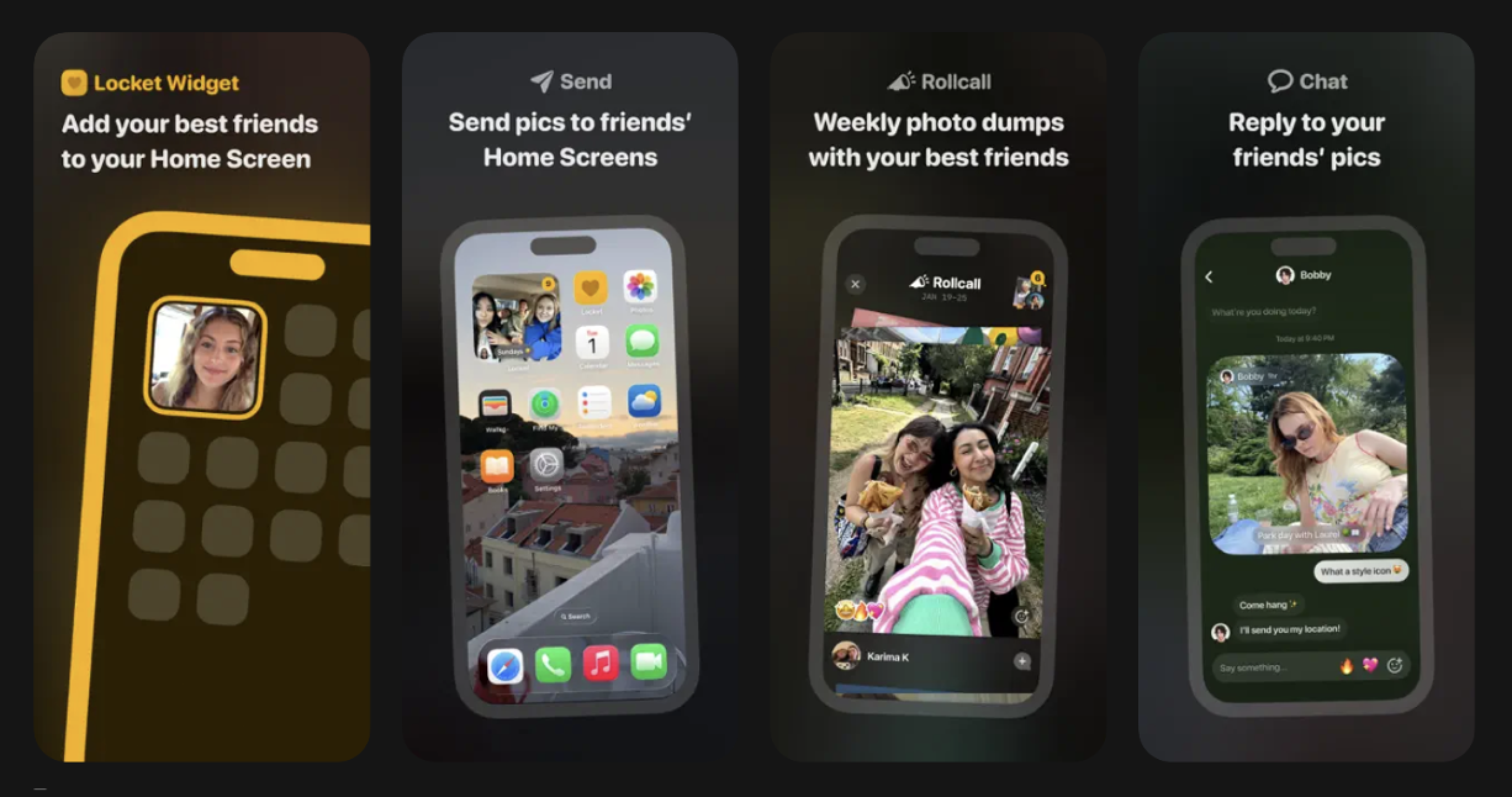
While Locket popularized the widget trend, Glimpse feels like the "2.0" version. By allowing text and interactive stickers, Glimpse facilitates interaction, whereas Locket facilitates broadcasting.
The Psychology of 'Ambient Connection'
Why does seeing a widget update feel so much better than scrolling a feed? It comes down to cognitive load. Traditional social media requires "active" engagement—you are constantly judging, comparing, and deciding whether to react.
Ambient connection is passive. It’s a low-stakes way to feel present in someone’s life. When a Glimpse widget updates, it isn't a demand for your attention; it’s more like a gift. This lack of pressure is what makes it an authentic social app. It mirrors the way we interact in real life—quietly, consistently, and without the need for "likes" to validate the interaction.
Who is Moving to Glimpse?
The app’s user base tells a clear story about who is tired of the status quo:
- Long-Distance Couples & Friends: Who use the widget to bridge the gap between time zones.
- Small Friend Groups: The "Inner 5" who have moved their "real life" away from public platforms.
- Privacy-Conscious Gen Z: Users who are deleting their main accounts but want to stay in touch with their core circle.
- Families: Parents and adult children who find group chats too noisy but want to stay "present."
Privacy: The Non-Negotiable Standard
In 2026, privacy is no longer a "feature"—it’s a requirement. Glimpse seems to have built its entire architecture around this:
- No Public Discovery: You cannot be "found" by strangers. You only exist to those who have your specific invite code.
- Zero Data Mining: Unlike "Big Tech," Glimpse doesn't scan your private photos to sell you products.
The Verdict: Is the Widget Revolution Here to Stay?
Glimpse represents a broader cultural shift. We are moving away from the "Digital Town Square" and back into the "Digital Living Room." By leveraging WidgetKit to turn the home screen into a place of connection, Glimpse has successfully removed the friction of social media while keeping the "social."
If you’re exhausted by the performance of traditional apps, Glimpse is the quiet, intentional alternative the internet has been waiting for. It turns your phone back into what it was meant to be: a tool for keeping you closer to the people you love.
How to Join the Movement: Download Glimpse
If you're ready to try the widget-first lifestyle, the setup is surprisingly simple:
- Download Glimpse: Available on the App Store.
- Sign-in: Create your account to ensure your memories stay safe & private.
- Invite Your People: Share the link with your chosen people.
- Place the Widget: Long-press your home screen and add the Glimpse widget to your favorite spot.

The whole process takes under two minutes, but the shift in your digital habit is immediate. It’s time to stop scrolling and start seeing.

Comments ()