

How to Blur Faces in Video: The Complete Guide for 2026
Let's be honest. You didn't film that stranger walking through your shot on purpose. Now they're in your footage, and you need them out. Or at the very least; unrecognizable.

Naturally, the fastest way to blur faces in video is using AI-powered tools that automatically detect and track faces for you. No manual keyframing, no frame-by-frame adjustments. Luckily, tools like FaceHide are appearing on the market that can process a 5-minute video in a couple of minutes. Doing the same thing manually in Premiere Pro or Final Cut could easily eat up your entire afternoon, if not more.
In this guide, we'll cover why face blurring matters more than ever in 2026, what makes manual methods so painfully slow, and the five best approaches depending on your situation. Whether you're a YouTuber protecting bystanders, a business worried about GDPR, or someone dealing with security camera footage, you'll find a solution that actually works.
Why Blur Faces in Videos? It's Not Just About Privacy Anymore
A few years ago, blurring faces felt optional. A nice-to-have for documentaries and investigative journalism. Today, it's becoming a legal requirement in many situations, and you might be surprised to learn that some of them could effect you.
Under GDPR, faces are classified as biometric data. That means any video containing identifiable individuals counts as personal data, and publishing it without consent can get expensive. We're talking fines up to €20 million or 4% of your global annual revenue, whichever is higher. And these aren't empty threats. An individual in Spain was fined €6,000 simply for sharing a video without pixelating the faces of people in it. Clearview AI has racked up over €100 million in cumulative fines across the EU for scraping facial images.
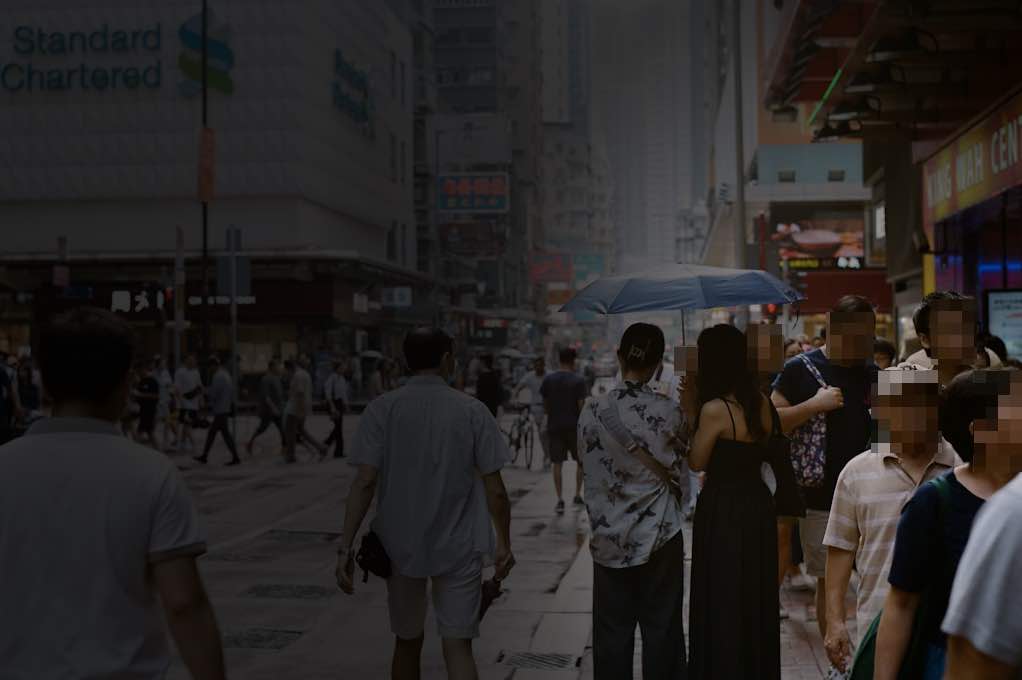
Platform policies are tightening too. YouTube gives creators just 48 hours to edit a video after receiving a privacy complaint. Miss that window, and your video gets taken down. TikTok prohibits sharing what they call "High Risk Personal Information," which includes identifiable faces without consent. Even the Philippines now mandates that vloggers blur bystanders in their videos under NPC Circular 2025-01.
Beyond legal requirements, there's the ethical side. That person grabbing coffee in the background of your vlog didn't sign up to be in your content. Neither did the kids playing in the park during your travel video. Aside from your growing legal obligations, blurring faces is simply the right thing to do.
The Real Problem With Manual Face Blurring
Here's what nobody tells you when you search for face blurring tutorials: the process is absolutely brutal when done manually.
Time Investment That Doesn't Scale
Let's talk real numbers. A 30-second video clip at 720p can take anywhere from one to two hours to blur properly using traditional keyframe methods. You're placing a mask, tracking it frame by frame, adjusting when the tracking inevitably loses the face, and repeating this for every single person in your shot.
Now imagine doing this for hour-long footage. One video editor on a professional forum described it as work that would make clients "run screaming from the room" if they saw the actual bill.
For content creators pumping out daily or weekly videos, this workflow simply doesn't work.
Why Motion Tracking Keeps Failing
You'd think modern video editors would have solved this by now. They haven't.
Premiere Pro's auto-tracking feature sounds great in theory. In practice, it frequently gets distracted by background elements, losing your carefully placed mask entirely. The moment someone turns their head sideways or another person walks in front of them, the tracking breaks. You're back to manual adjustments.
The Cost Barrier Nobody Mentions
Even if you're willing to spend the hours, you need the software first. Adobe Premiere Pro runs $22.99 to $34.49 per month, and that's a subscription you'll pay forever. Final Cut Pro is a one-time $299.99 purchase, but it only works on Mac. Both have steep learning curves before you can even start blurring anything.
For someone who just needs to blur a few faces in a video for Instagram, this is absurd overkill. This is exactly why AI-powered tools that handle detection and tracking automatically have become essential for creators and businesses who value their time.
5 Proven Methods to Blur Faces in Video
Not every situation calls for the same solution. Here's how the main options stack up in 2026.
Method 1: AI-Powered Online Tools (Fastest)
This is the approach I recommend for most people. Modern AI tools can detect every face in your video automatically, apply blur that tracks with movement, and export your finished file without you touching a single keyframe.
FaceHide is a good example of how far this technology has come in a shockingly short timeframe. You upload your video, the AI identifies all faces in the footage, and it handles the tracking throughout the entire clip. What used to take hours now takes minutes.
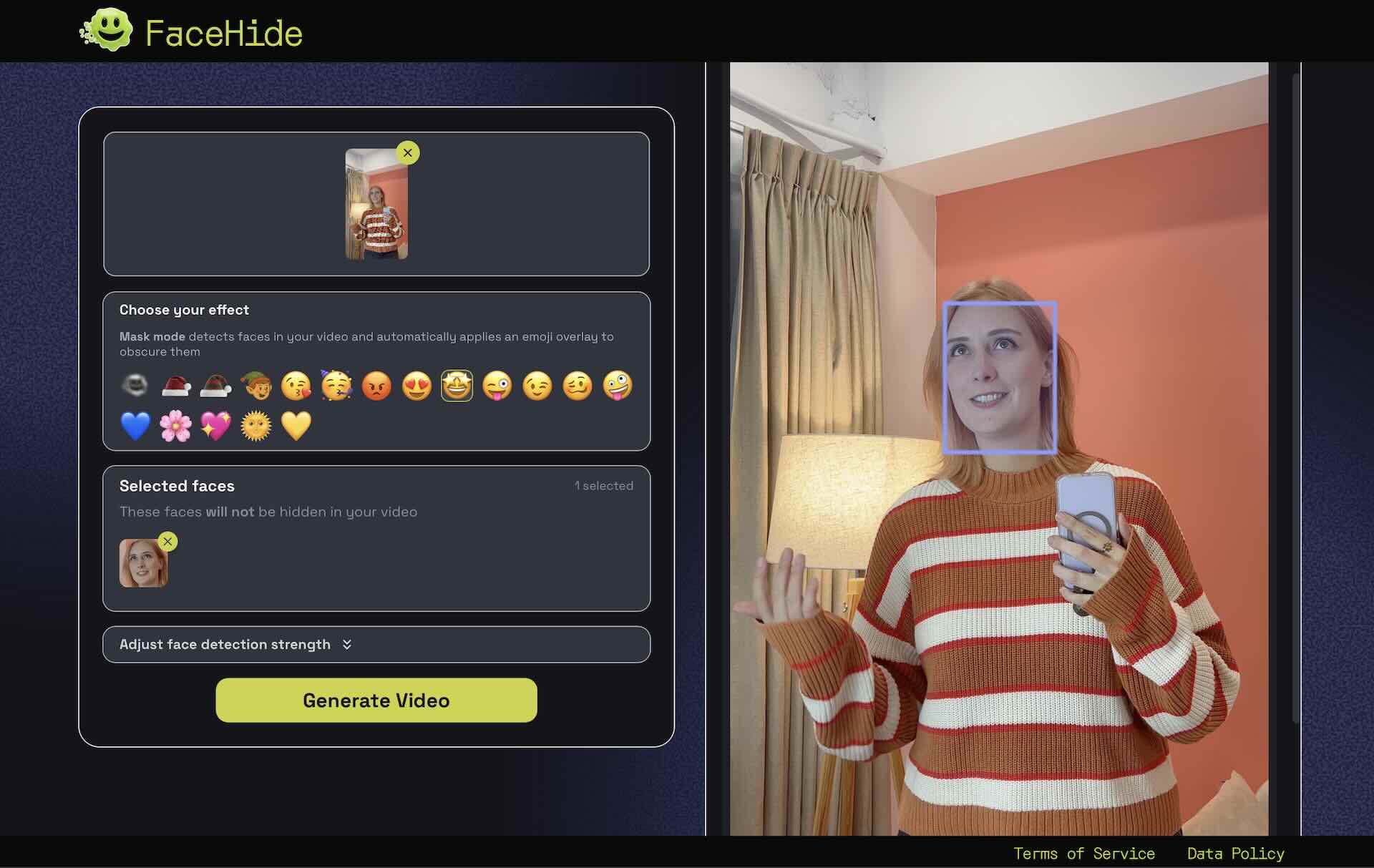
The process is dead simple:
- Go to FaceHide.app and upload your video
- Choose the face you wanna keep unblur.
- Wait for the AI to automatically detect all faces
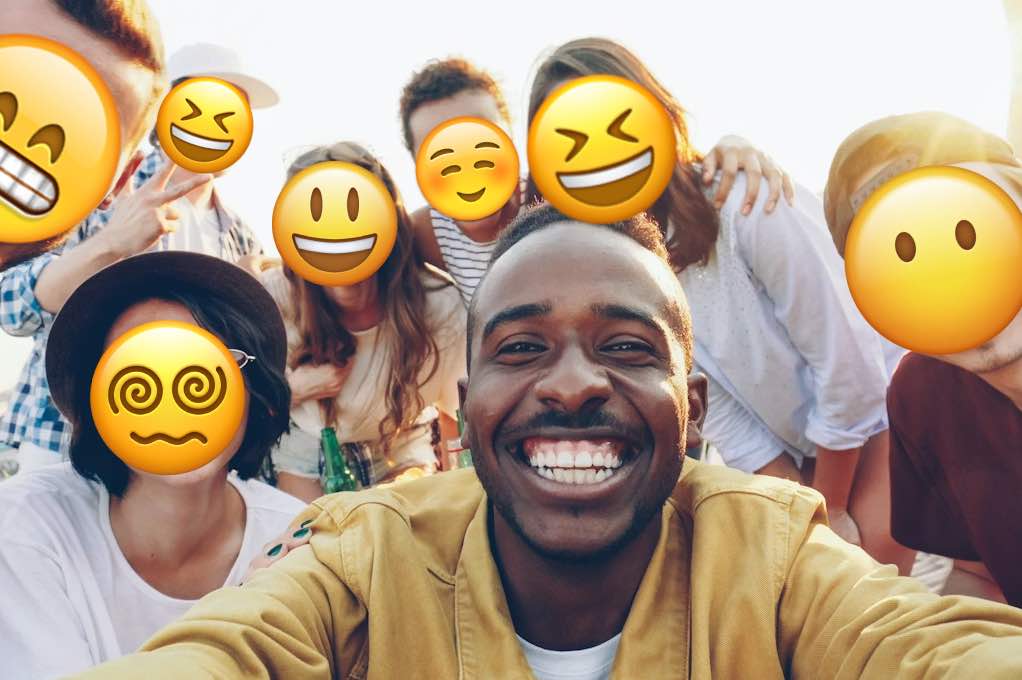
- Choose your blur style (gaussian blur or even fun emoji masks)
- Export and download your finished video
No software to install. Works on your phone, tablet, or desktop. The free tier handles most casual needs, which makes it accessible for creators just starting out.
The main limitation? Like any AI, detection accuracy depends on video quality and face visibility. Very small faces in the distance or extreme angles might need a quick manual check before publishing.
Method 2: YouTube Studio (Free, But Limited)
YouTube has its own built-in face blur tool, and it's completely free. However, we spoke to a few of our in-house video editors and word on the street is; it's pretty bad...
You'll find it in YouTube Studio under the Editor section, with two options: automatic Face Blur that attempts to detect faces, and Custom Blur for manual placement.
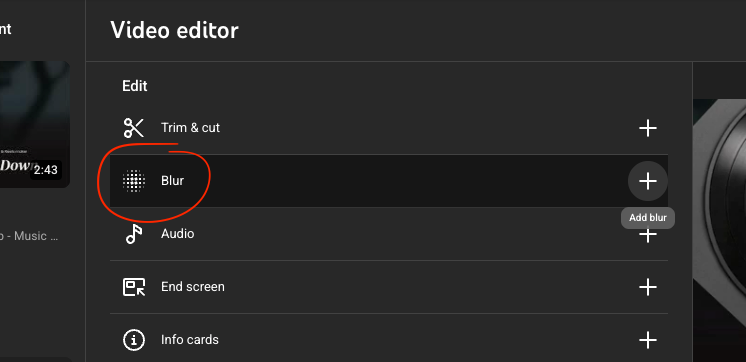
The good news is it works directly on videos you've already published. No need to take them down, edit externally, and re-upload.
The bad news? YouTube themselves describe their face detection as "emerging technology." Translation: it's inconsistent. Accuracy varies wildly depending on lighting, camera angles, and how much people move around. Processing can also take up to 24 hours, which isn't ideal when you're racing against a privacy complaint deadline.
Method 3: CapCut (Mobile and Desktop)
CapCut has become the go-to free editor for short-form content, and it does include face blurring capabilities through its Face Mosaic effect.
Here's the catch: CapCut doesn't have AI face detection. You're manually placing a mask over the face and relying on keyframe tracking to follow it. For a single person in a relatively static shot, this works fine. For anything more complex, you're back to the manual grind.
The tracking can also lose subjects during fast movement or when faces turn away from camera. You'll spend time babysitting the effect and correcting drift.
Still, it's free, it's available on iPhone and Android, and millions of creators already have it installed. For quick, simple blurs on straightforward footage, CapCut gets the job done.
Method 4: Adobe Premiere Pro (Professional)
Premiere Pro remains the industry standard for video editing, and it absolutely can blur faces. You'll use the Gaussian Blur effect combined with mask tracking, adjusting opacity and feathering to get the look you want.
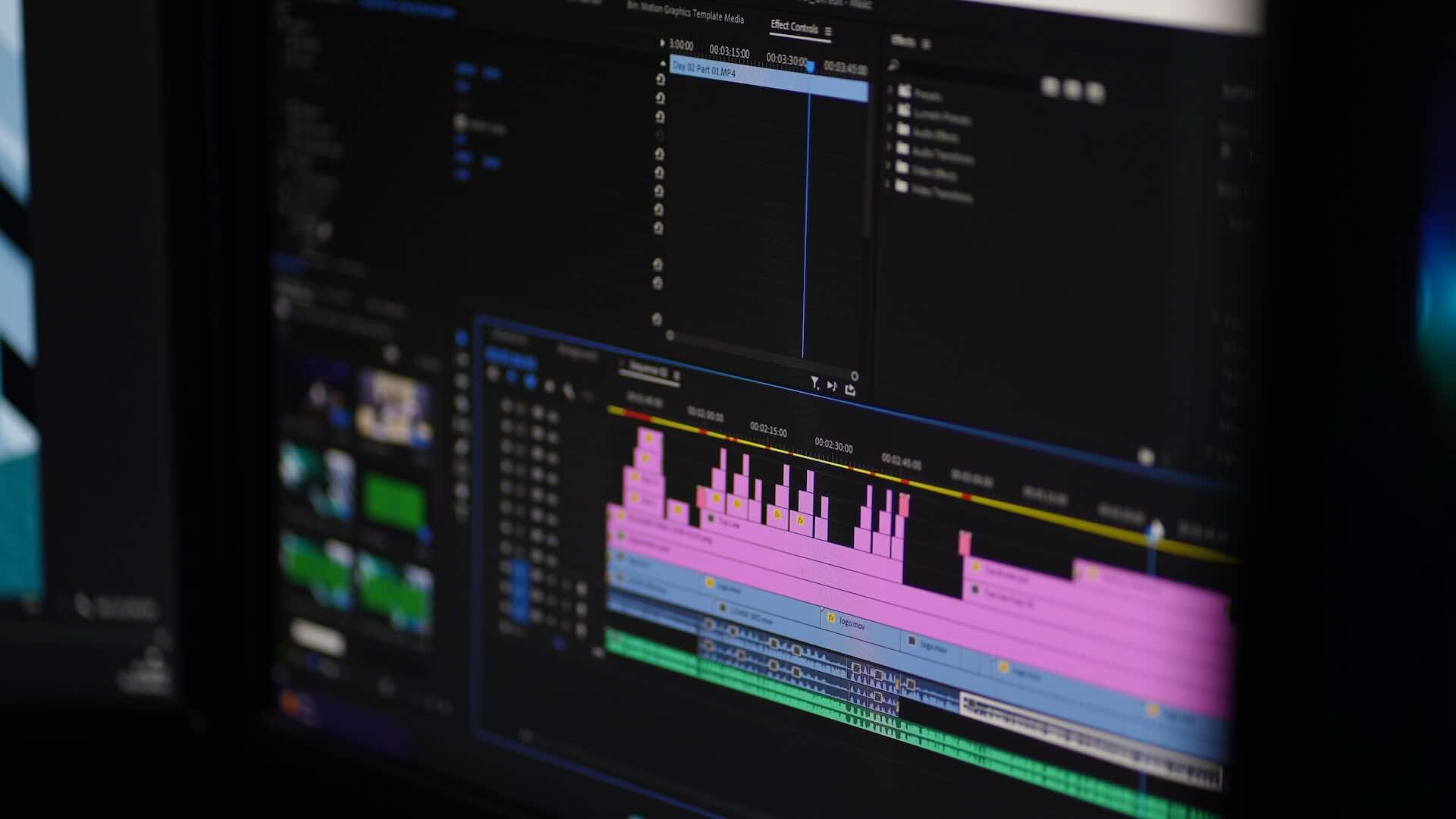
The reality check: even with Premiere's auto-tracking, you should expect to make manual keyframe adjustments. The tracking algorithm works reasonably well for clear, front-facing subjects but struggles with the real-world messiness of actual footage. Backgrounds confuse it. Quick movements break it. You'll be fixing things.
At $22.99 to $34.49 per month, plus the hours required to learn the software and execute the technique properly, this approach only makes sense if you're already a Premiere user doing professional work. For everyone else, it's overkill.
Method 5: Dedicated Redaction Software (Enterprise)
Organizations dealing with CCTV footage, body cameras, or FOIA requests often need something more robust than consumer tools. Enterprise solutions like Pimloc, D-ID, and Genetec offer features specifically designed for these use cases.
We're talking batch processing for hundreds of hours of footage, audit trails for legal documentation, on-premise deployment options for sensitive data, and compliance certifications. Pricing reflects this: expect enterprise-level quotes.
For smaller security operations or businesses with occasional compliance needs, FaceHide can handle lower volumes at a fraction of the cost.
GDPR and Legal Requirements You Need to Know
If you're publishing video content in or about the European Union, understanding GDPR requirements isn't optional. Here's what actually matters.
What GDPR Says About Faces in Video
Under GDPR Article 4, faces are classified as biometric data. Any video containing identifiable individuals constitutes personal data, which means you need a lawful basis for processing it.
This gets particularly tricky with CCTV and security footage. Article 15 establishes the Right of Access, meaning if someone requests footage containing themselves, you must provide it. But here's the wrinkle: you also need to blur all OTHER faces in that footage before handing it over. Suddenly that "simple" request requires significant editing work.
Platform-Specific Policies
Beyond GDPR, each platform has its own rules:
- YouTube processes privacy complaints and gives creators 48 hours to blur faces or face removal. They provide a built-in tool, but as we discussed, its reliability varies.
- TikTok collects facial characteristics as part of its platform operation and prohibits users from sharing "High Risk Personal Information" including identifiable faces without consent.
- Instagram applies "special protection" to facial recognition templates under EU law, and content featuring identifiable individuals without consent can be reported and removed.
For businesses needing to demonstrate compliance, using a dedicated face-blurring tool creates a clear audit trail and ensures consistent anonymization across all content.
Stop Wasting Hours on Manual Blurring
Face blurring used to be one of those tedious tasks that ate up editing time without adding creative value. Today, AI handles the detection and tracking that used to require painstaking manual work.
Whether you're protecting bystander privacy in your vlogs, ensuring GDPR compliance for your business, or processing security footage, the right tool makes all the difference. For most people, that means skipping the manual methods entirely and letting AI do what it does best.
Your time is better spent creating content, not blurring strangers out of it 🫳🎤



Comments ()